Start with one decision worth remembering. Install codemem, inspect what it captures, then ask about that decision in a fresh session.
1. Check the prerequisites
codemem requires Node.js 24.15+ and npm. Native database support covers macOS x64/arm64, Linux x64/arm64 (glibc 2.34+ or musl), and Windows x64. 32-bit targets, including Linux armv7, are not supported.
node --version
npm --versionONNXRUNTIME_NODE_INSTALL=skip in your shell
and in the environment that launches OpenCode, Claude Code, or Codex. This skips the unused GPU-provider download
while retaining CPU inference. Setup-managed npx launchers cannot set it for you.
2. Install the agent integration
Choose the agent you use. Each integration manages its backend, so a global CLI install is optional.
Plugin and memory tools
Install the plugin and MCP configuration, then restart OpenCode.
npx -y codemem setup --opencode-onlyProject marketplace
Inside Claude Code, add the marketplace and install the plugin:
/plugin marketplace add kunickiaj/codemem
/plugin install codemem
Restart Claude Code to load the integration.
The plugin includes its MCP configuration and capture/context-injection hooks. No separate setup command or global CLI install is required.
This is the codemem project's marketplace source; the label does not imply official Claude approval.
Plugin marketplace
Add the codemem marketplace, install the plugin, then restart Codex.
codex plugin marketplace add https://github.com/kunickiaj/codemem.git
codex plugin add codemem@codemem
See Codex integration details for supported builds and the API-key Desktop setup path.
Agent-specific install details
OpenCode users can instead add "@codemem/opencode-plugin" to the OpenCode configuration's
plugin list, but the setup command above also registers the explicit memory tools. Claude Code can
start the viewer automatically and use its sidecar runtime for subscription access without a separate API key.
The Codex plugin bundles its MCP configuration and hooks; a global CLI remains optional and reduces fallback latency.
3. Check the first capture
Complete a real task that produces a decision, then open the local viewer:
http://localhost:38888Check Health for observer access, then open Feed and look for the decision. A running viewer confirms only that the viewer started; it does not confirm successful capture.
api_http uses provider credentials, while sidecar runtimes use Claude or Codex
authentication. Captured context is sent to that model, and calls can incur charges or consume plan usage; local
storage does not mean local-only processing.
4. Inspect what was remembered
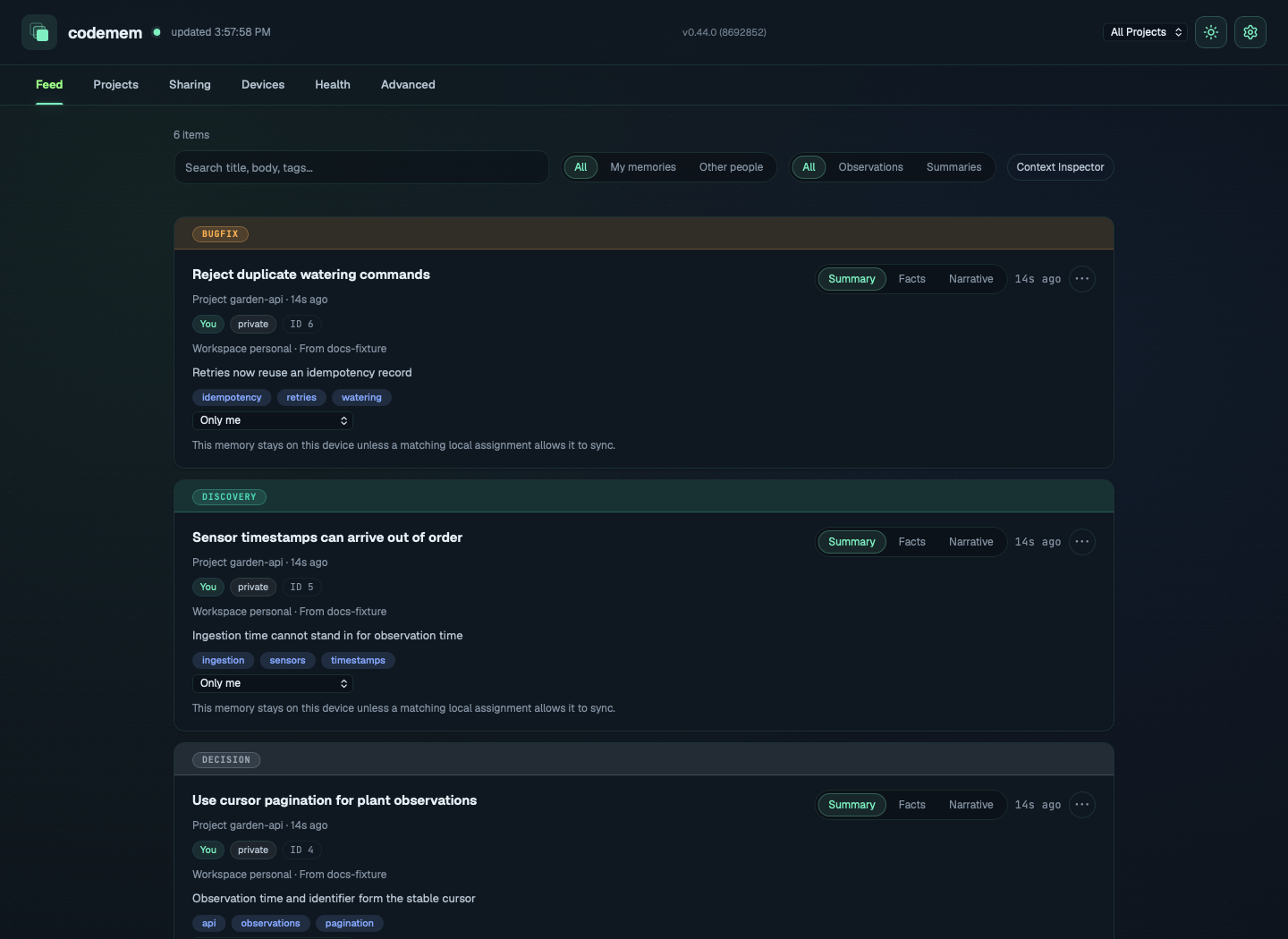
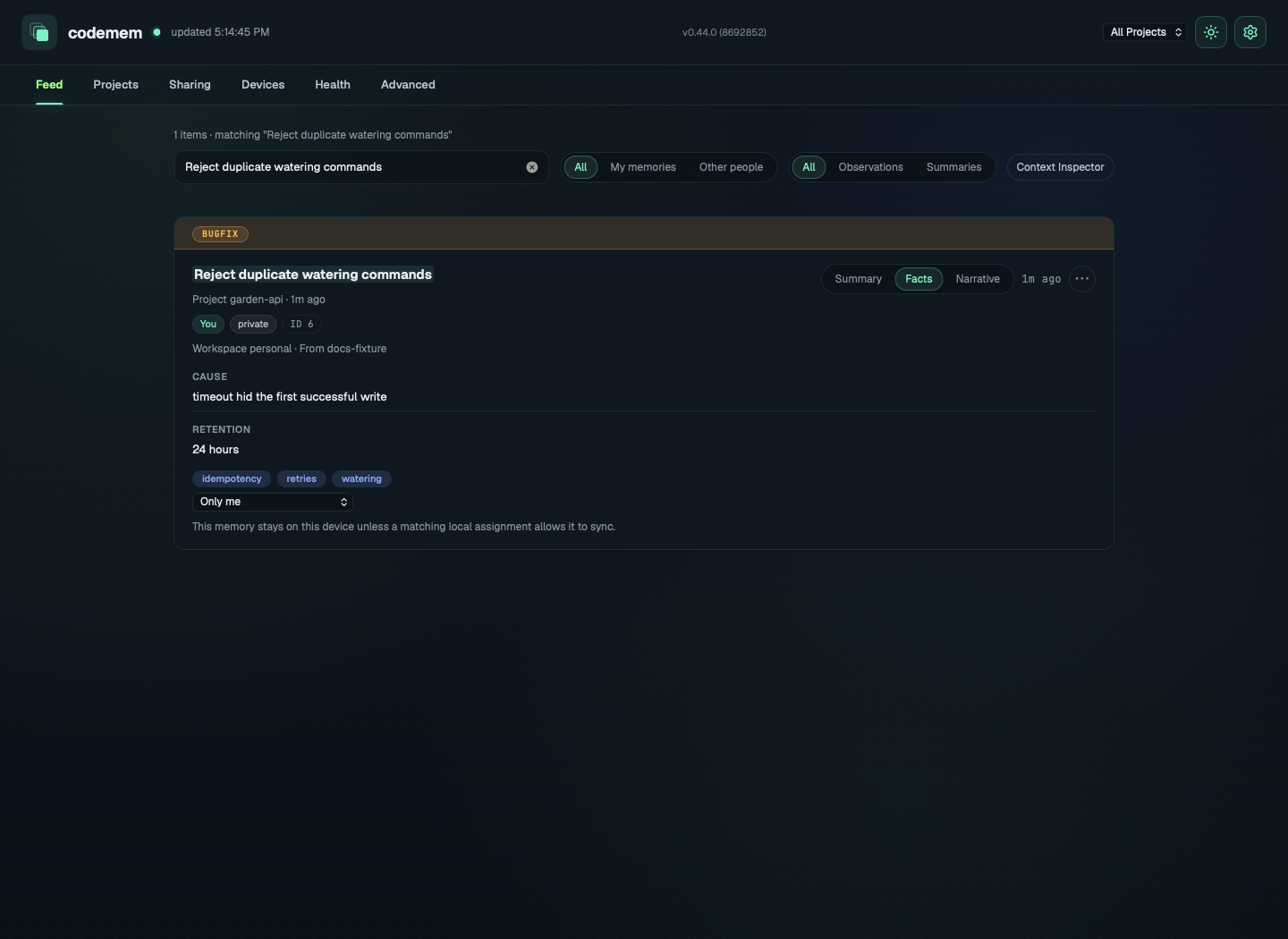
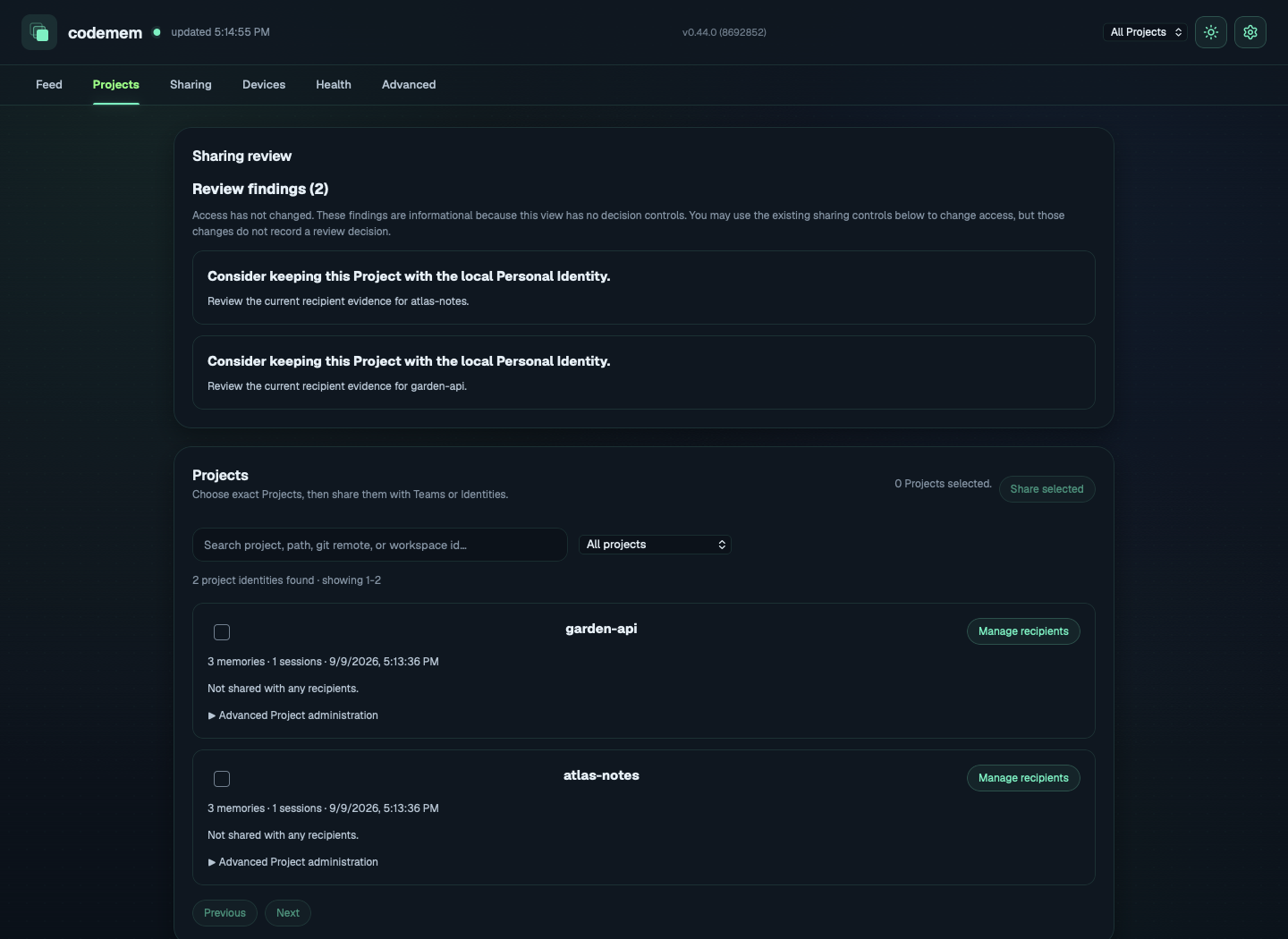
The screenshots below use invented memories from two fictional projects. They show the viewer, not measured capture or recall results. The temporary database-path label is hidden; the memory content and controls are unchanged.
Find a memory in the Feed
Browse decisions, discoveries, and fixes. Use the project filter or search to narrow the list.
Inspect the supporting details
Search for a decision or fix, then select Facts on its card. Switch to Narrative for the longer explanation when available.
Review project-level information
Open Projects to inspect project memory counts and recipient information.
5. Try recall in a fresh session
Complete a real task and find its captured decision in the viewer. Start a fresh session in the same project and ask what you decided and why, without supplying the answer. Compare the response with the stored memory and the original conversation, code, or test results. If no memory appears, return to the capture checks above.
Optional CLI install and manual checks
Install the CLI only if you want direct codemem commands for repeated checks or shell workflows:
# Linux
env ONNXRUNTIME_NODE_INSTALL=skip npm install -g codemem

# macOS and Windows
npm install -g codemem
Without a global install, run the same checks through npx:
# Global CLI
codemem stats
codemem status
codemem db raw-events-status

# No global CLI
npx -y codemem stats
npx -y codemem status
npx -y codemem db raw-events-status
Optional source checkout
Clone the repository if you want to inspect the source or contribute:
git clone https://github.com/kunickiaj/codemem
cd codemem
# follow the repository development setup
6. Bring project knowledge with you
Sync memories across your machines or share selected project knowledge with teammates. Start with the sync guide to understand what is shared and how to control access.