codemem is useful on one machine first. Sync exists to extend that memory across your devices and selected shared work, not to make a server a prerequisite for basic value.
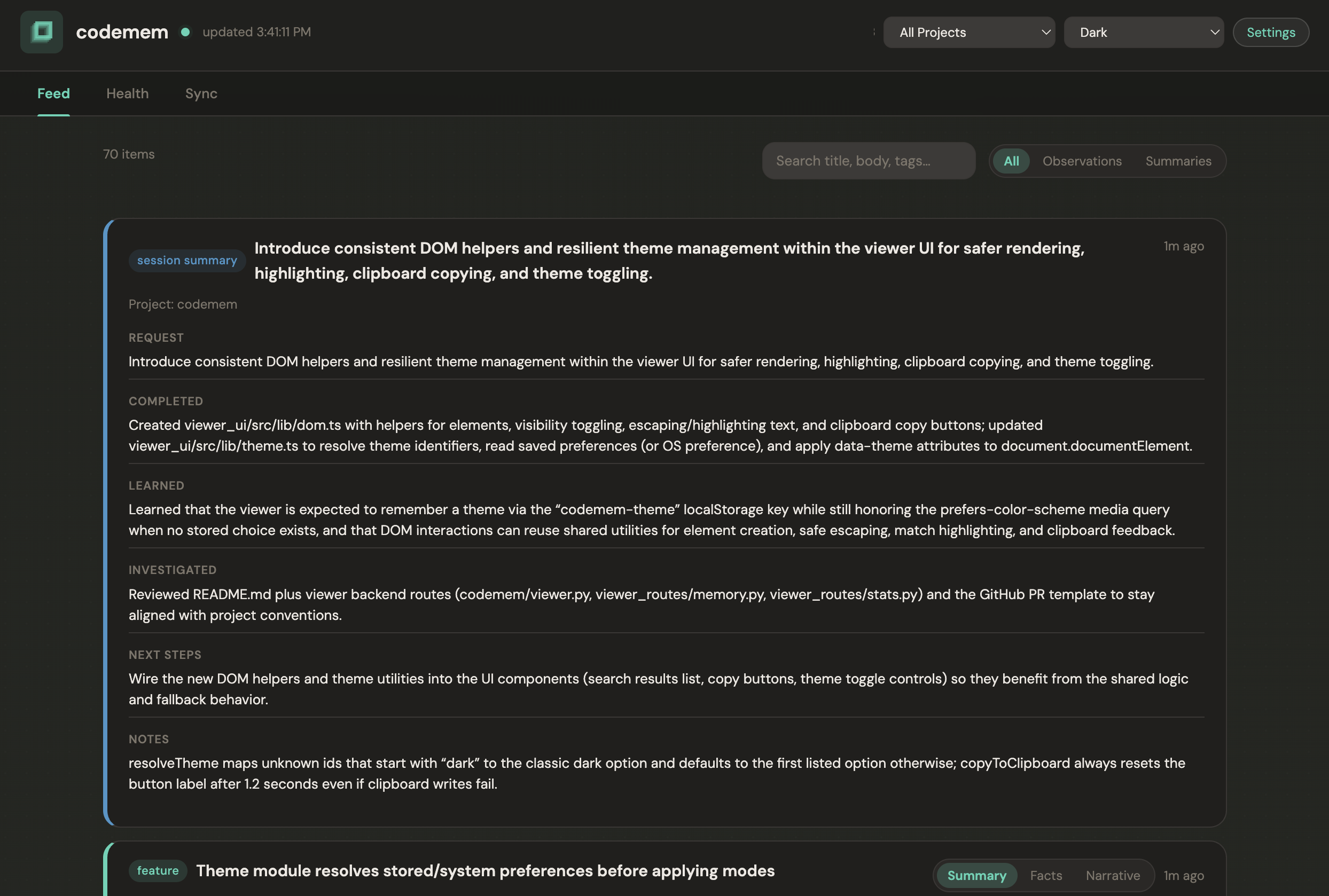
The viewer makes it easy to inspect what has already been captured before you decide whether to sync it.
The sync view keeps the model honest: local-first by default, peer-to-peer when you want continuity.
What sync is
Your memory stays close to your work. If you never turn on sync, codemem should still capture and retrieve context on the same machine. When you do enable sync, the data path stays peer-to-peer between devices.
Optional coordinator, not required infrastructure
Most setups do not need a coordinator. Pair devices directly and let them sync with each other. If peer addresses change often, mDNS is unreliable, or you need cross-network discovery, you can add an optional coordinator to help devices find each other. The coordinator helps with discovery; it is not the normal memory transport path.
Choose the path that matches your setup
If you only use codemem on one machine, do nothing. If you move between a desktop and laptop, pair them directly. If you work with teammates or want shared project memory, use pairing plus visibility controls and review what will sync by default. If discovery breaks across networks or VPNs, that is when the optional coordinator becomes useful.
Two personal devices
This is the simplest useful case. Pair the devices, let them talk directly, and keep your memory layer current so you are not rebuilding context on each machine.
Claim devices and keep your history together
If you replace or reconnect a machine, the Sync UI lets you map devices back to your actor so your history stays continuous instead of fragmenting across devices.
Share selected projects, not everything
Sync can be selective. That makes it possible to keep particular projects in sync where you want them, without
treating every memory as shared by default. Project filters define the default sharing path, and per-memory
visibility lets you keep something as Only me when it should stay local.
What the current UI supports
The Sync tab keeps the practical controls nearby: pair devices, assign actors, claim older devices as yours, choose what syncs, redact sensitive details when sharing a screenshot, and review recent activity without wading through a huge log. The feed also lets you change memory visibility directly.
Teammates and shared work
Shared work does not need to mean sharing everything. codemem supports teammate-oriented review so you can see what will share by default, what stays local, and how ownership maps to people rather than just raw device IDs.
Coordinator admin is separate from normal sync
The optional coordinator can also have an admin surface for groups, invites, join review, and device management. That is separate from the day-to-day Sync tab. Most users should think of the coordinator as optional discovery help first, and admin tooling second.
How sync behaves operationally
The runtime is viewer-backed, so you do not need a separate sync-only daemon just to keep things moving. The local viewer is still intended for localhost use. If you use the optional coordinator or cross-network sync, treat those network surfaces separately from the viewer itself.
Troubleshooting and common gotchas
mDNS may work well on one local network and then fall apart across VPNs or different network segments. Offline peers stay offline until they come back; codemem will not magically sync to a machine that is not there. If direct discovery is unreliable, add the optional coordinator rather than assuming sync itself is broken. If you are trying to recover or reconnect a device, pairing, claiming, and bootstrap flows are the next places to look.
Why this matters
Most tools either stay trapped on one machine or immediately become cloud-shaped. codemem tries to keep the nicer parts of local-first tooling while still giving you a practical way to carry context across devices and selected shared work.